

Most farm software conversations assume you've got reliable internet. That assumption breaks the moment you walk past the last fence post with cell coverage. Out in the back paddock, in the calving shed at 2 a.m., or in a barn built with enough steel to kill every bar on your phone — that's exactly where records get created and exactly where cloud-first design falls apart.
The workaround most farmers land on is some combination of paper notes, a Notes app, a spreadsheet on a laptop, and someone's memory. Then somebody re-types it later. Or doesn't. And that gap — between when data is captured and when it's safely stored — is where most farm data problems actually live. Not in dramatic breaches. In lost calving records, double-entered treatments, and a hard drive that dies with three months of unsynced data on it.
An offline-first approach flips the default. Instead of treating the internet as required and offline as an emergency fallback, you treat the device in your hand as the source of truth, and syncing as something that happens whenever a connection shows up. For farm data security offline-first design isn't a nice-to-have — it's the only model that matches how farm work actually happens.
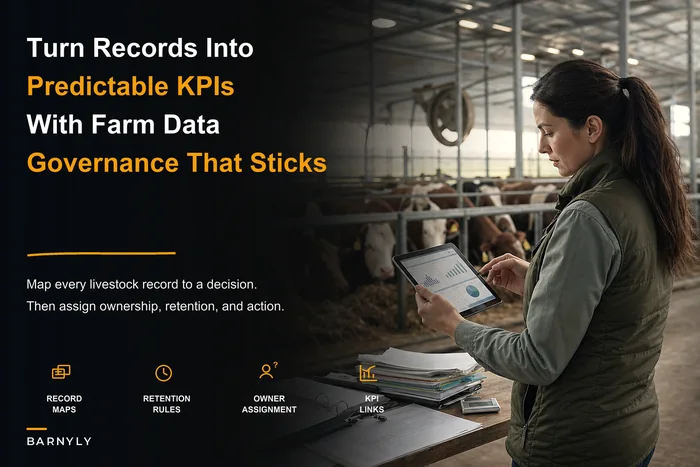
This article covers the whole system: how you store data locally without exposing it, how you resolve conflicts when two people edit the same animal record, who gets to see which fields, how long you keep things, and what you do when something goes wrong. It connects to the broader idea that a practical farm data strategy turns livestock records into predictable KPIs — but none of that matters if the data never survives the trip from paddock to database.
Why offline-first isn't optional on a working farm
There's a pattern worth naming. Farms that adopt cloud-only tools often look fine in the demo and fine in the farmhouse. The trouble starts three weeks in, when the herdsman is standing in a wet yard trying to log a lameness score and the app just spins. So he doesn't log it. Multiply that across every low-signal moment in a season and your "digital records" quietly become 70% complete — which is arguably worse than nothing, because you think they're complete.
Offline-first means the app writes to a local store on the device immediately. No spinner. No "check your connection." The record exists the second it's typed, and it stays on that phone or tablet until it can push up safely. The person capturing data never thinks about connectivity, which is the whole point — the technology has to disappear into the work.
But there's a tension nobody warns you about: the moment you store real farm data on multiple devices, you've created multiple copies of sensitive information sitting in muddy pockets and truck cabs. Treatment records, controlled-substance logs, financial data, employee details. That's a governance problem, not just a convenience one. Offline-first done properly is two disciplines at once — making data available everywhere and keeping it locked down everywhere.
Local encrypted stores: the part everyone skips
A device you can lose is a device that will eventually get lost. Phones fall in slurry pits. Tablets get left on tailgates. A laptop walks off during a farm sale day. If the local store on that device is plain-text, you've handed someone your entire operation.
Simplify farm operations and enhance animal care.
Barnyly helps you organize, track, and manage every aspect of your farm operations seamlessly.
- Comprehensive livestock tracking
- Automated health alerts
- Feed and resource scheduling
No credit card required
The non-negotiable baseline is encryption at rest on every device that holds a copy of the data. Not "the cloud is encrypted" — the local copy, the one physically on the hardware. When it's done right, a lost tablet is an inconvenience rather than a disaster. Your neighbor doesn't suddenly know your antibiotic usage and your cull decisions.
A few things that separate a serious setup from a fragile one:
-
Encryption keys tied to device authentication. If the person can't unlock the device, the data stays scrambled. A stolen tablet with a strong screen lock is a dead end for whoever took it.
-
Automatic wipe rules. After enough failed unlock attempts, or on a remote command, the local store clears itself. Turns loss into a shrug.
-
Selective local storage. Not every device needs everything. A seasonal worker's phone might hold only this week's task list and the animals they're assigned to — not five years of financial history.
Verify with vendors that local copies are encrypted and ask for their automatic-wipe policy so it isn't just a checkbox.
A common pattern: people treat encryption as a checkbox the software vendor handles and never confirm it applies to the offline copy. Ask directly — "When there's no internet, where does my data sit, and is that copy encrypted?" If the answer is fuzzy, assume it isn't.
Sync conflict rules: what happens when two people edit the same animal
This is where offline-first gets genuinely hard, and where most homemade systems fall over completely.
Picture a busy morning. You're in the north paddock logging that cow #4471 got a magnesium bolus. At the same time, your farmhand — no signal either — is in the yard logging that the same cow was moved to the sick pen. Both records were true. Both devices were offline. When they reconnect an hour apart, the system has two versions of the same animal's record, changed in different ways.
If your tool just keeps "the last one to sync," you silently lose the magnesium record. Nobody notices until a withdrawal calculation is wrong weeks later. That's the quiet failure mode of naive syncing, and it's why conflict handling has to be designed on purpose, not left to chance.
Here's how mature conflict resolution actually behaves, in plain terms:
-
Field-level merging, not record-level overwriting. Two people editing different fields on the same animal — location vs. treatment — should merge automatically. There's no real conflict; the system just combines both changes.
-
Additive events never overwrite. Treatments, weights, observations, movements — these are events, not edits. Two people logging two events should produce two events, always. You never "replace" one health record with another.
-
True conflicts get flagged for a human. If two people changed the same field to different values — someone marked a cow pregnant, someone marked her open — the system shouldn't guess. It holds both and asks a person to decide, with timestamps and who-did-what attached.
-
Timestamp the moment of capture, not the moment of sync. The record needs to remember when it happened in the field, not when it finally uploaded. Otherwise your timeline is unreliable.
The single biggest mistake here is designing sync around convenience instead of around evidence. Farm records feed audits, vet decisions, and residue calculations. A sync rule that occasionally eats a treatment entry isn't a minor bug — it's a compliance exposure.
Minimal role-based field access: everyone sees only what they need
Once data lives on many devices, "who can see what" stops being abstract. A relief milker, a contract fencer, a part-time weekend worker, a visiting vet, your accountant — they should not all have the same view of your operation.
The principle is boring but powerful: give the least access that still lets the job get done. Not out of paranoia, but because every extra permission is another way for data to leak or get accidentally changed.
Below is a rough way to think about role tiers on a typical mixed operation:
| Role | Can see | Can edit | Should NOT touch |
|---|---|---|---|
| Owner / manager | Everything | Everything | — |
| Herd manager | Health, breeding, movement, feed | Health & breeding events | Payroll, financials |
| Farmhand / seasonal | Assigned animals, today's tasks | Task completion, basic observations | Financials, controlled-substance logs |
| Visiting vet | Clinical history of relevant animals | Clinical notes, prescriptions | Financials, employee data |
| Bookkeeper / accountant | Financial records, invoices | Financial entries | Clinical & breeding detail |
The pattern worth flagging: most farms over-grant access early because it's easier than setting up roles, then never claw it back. Two seasons later a former seasonal worker still has a login that sees your whole herd. Field-level access — not just "can they open the app," but "which fields can they read and write" — is what keeps this manageable as the crew changes.
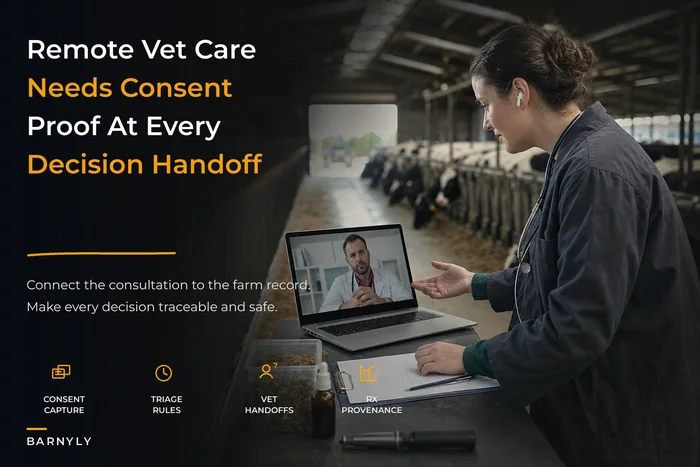
This connects directly to how telemedicine workflows link vets to on-farm records. A remote vet should see the clinical picture and nothing about your margins. Scoped access is what makes it safe to let outside people into your system at all.
When strict access control is overkill
If it's just you and a spouse running 40 head, full role-based field permissions are probably more machinery than you need — you'll spend more time managing roles than they save you. The tipping point tends to arrive when you bring on your first non-family worker, or the first outside professional who needs a login. Before that, sensible defaults and device encryption cover most of your real risk.
Retention and enforcement schedules: keeping records exactly as long as you should
Two opposite mistakes show up here, sometimes on the same farm. Some records get deleted too soon — a treatment log wiped in a phone cleanup right before it was needed for a residue question. Others get hoarded forever — years of old employee data and irrelevant notes piling up, becoming a liability if a device is ever compromised.
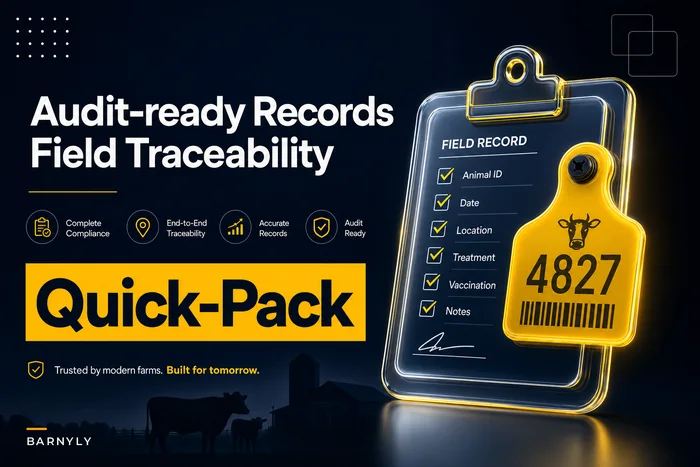
A retention schedule fixes both by deciding, ahead of time, how long each type of record lives and what happens when its time is up. This ties tightly into the retention timelines covered in audit-ready traceability and field-level record templates — the difference is that offline-first adds a wrinkle: retention has to be enforced across every copy, including the ones sitting on devices.
A workable retention framework usually looks like:
-
Treatment and medication records — kept for the full regulatory window your region requires, then archived (not deleted) in a locked store.
-
Movement and traceability records — retained across the animal's life plus the required trace-back period.
-
Financial records — held to your tax authority's standard, typically several years.
-
Employee and contractor data — kept only while active plus a short defined tail, then purged.
-
Routine operational notes — short retention; these clutter fast and rarely matter after a season.
"Enforcement" is the part people forget. A schedule that lives in a binder gets ignored. Enforcement means the system itself moves records to archive or purges them on schedule, whether or not anyone remembers. On offline-first setups, that enforcement has to reach down to the local stores too — otherwise you'll delete something centrally while three old copies linger on retired phones in a drawer.
The incident-response checklist: what to do when something breaks
Something will eventually go wrong. A device gets stolen. A sync corrupts a batch of records. A worker leaves under bad terms with a login still active. The farms that handle these calmly are the ones that decided what to do before it happened.
The goal isn't to look impressive. It's to contain the damage fast, understand exactly what was exposed or lost, and come out with evidence you can show a vet, an inspector, or an insurer. That last part is why incident response has to link back to your audit trail — an incident with no documentation attached is just a story.
A practical checklist to keep somewhere you'll actually find it:
-
Identify what happened — lost device, corrupted sync, unauthorized access, or accidental deletion. Write the time and who reported it.
-
Contain it immediately — remote-wipe or revoke the affected device or login. Cut off the access before doing anything else.
-
Determine scope — which records, which animals, which people's data were on that device or touched by that account.
-
Check recoverability — is the data safe elsewhere (synced, backed up, archived)? Restore from the clean copy.
-
Pull the audit evidence — who accessed what, and when, from the system's own logs. This is your defensible record.
-
Notify who needs to know — vet, authorities, or affected people, depending on what the incident involved and your local rules.
-
Document the resolution — what you did, when, and the outcome. Attach it to the incident record.
-
Fix the root cause — was it a weak lock, an over-granted role, a missing wipe rule? Close that gap so it doesn't repeat.
The step people consistently skip is the audit-evidence pull. When a device goes missing, everyone focuses on the hardware and forgets to answer the real question: what could someone actually get to from it? A system that logs access at the field level lets you answer that in minutes instead of guessing.
How the pieces work together
Individually these are five separate topics. In a real day they're one continuous flow, so it's worth tracing it.
A farmhand opens the app in a dead-signal barn. It loads instantly from the local encrypted store. He can only see the animals and tasks assigned to him — role-based field access doing its job before he types a thing. He logs three treatments and a lameness score; each is written locally and stamped with the real time it happened.
A simple flow showing local capture, sync, conflict resolution, retention, and incident response.
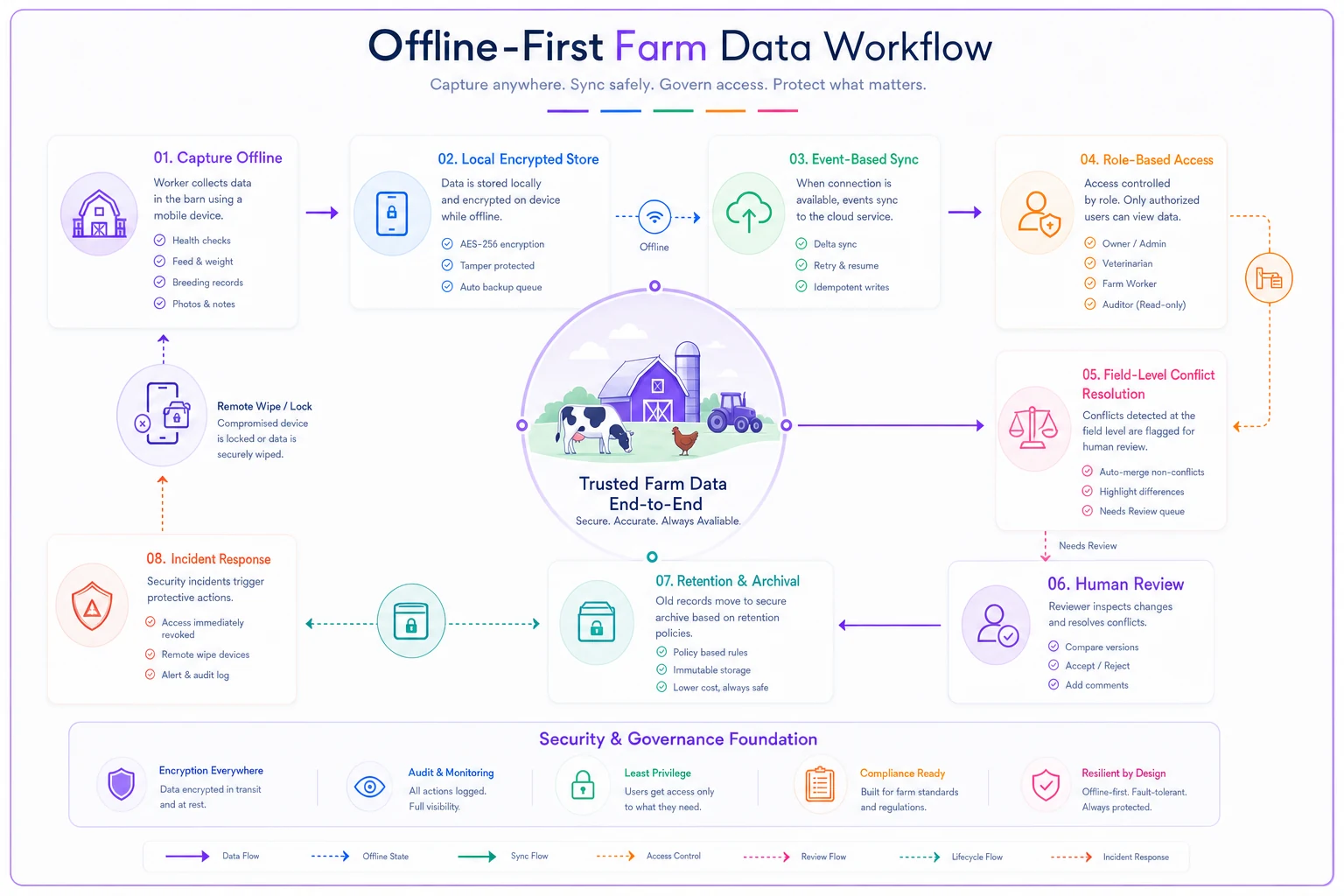
Two hours later he drives past the house and the phone catches Wi-Fi. Sync fires quietly. His three treatments merge in cleanly as new events. The one field where he and the manager clashed — a cow's pregnancy status — gets flagged rather than silently overwritten, and the manager resolves it that evening. Meanwhile, a treatment record from six years back hits its retention limit and moves to archive without anyone lifting a finger.
Then the phone gets left on a fence and vanishes. The manager runs through the incident-response checklist: remote wipe, confirm the data already synced (it did), pull the access log to confirm nothing sensitive was reachable, document it, done. Total exposure: near zero, because every layer did its part.
That's the whole point of designing it as a system. Any single piece missing — no local encryption, no conflict rules, no scoped access — turns a routine lost phone into a bad week.
A real scenario
A family beef operation running around 600 head across leased and owned ground had gone "digital" with a cloud-only app and a shared spreadsheet. Coverage was patchy over most of the grazing land. Workers logged things "later," which meant maybe 60–70% of field events ever made it in, and two people occasionally overwrote each other's entries without knowing.
The breaking point came during a residue query on a shipment. They couldn't cleanly prove one animal's withdrawal timeline because a treatment entry had been overwritten weeks earlier. It got sorted out, but it cost them the better part of a stressful week and shook their confidence in every record they held.
They moved to an offline-first setup with local encryption, event-based sync, and simple role scoping for their two seasonal workers. Within a couple of seasons, capture completeness climbed close to 95% because logging no longer depended on signal. Conflict flags surfaced a handful of times a month and got resolved same-day instead of disappearing. The real win wasn't a number — it was that the next time an inspector asked for a trace, they had it in a few minutes: encrypted, timestamped, and complete.
Choosing tools without getting sold a cloud-shaped problem
The demo won't tell you what you need to know, because demos always happen on good Wi-Fi. You have to ask the offline questions directly.
Worth pressing vendors on:
-
Does the app work fully offline, or just show a read-only cached view?
-
Where does offline data live, and is that local copy encrypted?
-
How does it handle two people editing the same animal offline? (Listen for "field-level" and "event-based," not "last write wins.")
-
Can I remote-wipe a lost device?
-
Can I set field-level access, not just app-level logins?
-
Can I set retention rules, and do they enforce automatically across devices?
-
When there's an incident, can I pull an access log showing who touched what?
Good operational software should make all of the above boring and automatic — encryption you never think about, syncing that just works, access that quietly matches each person's role, retention that runs on schedule. The best sign is that after setup, nobody on the farm has to think about any of it. The technology handles the governance so your people can focus on the animals.
Where this leaves you
Offline-first data governance isn't a security project you bolt on after the fact. It's the foundation that decides whether your records are trustworthy at all. Every KPI, every audit response, every vet decision downstream is only as reliable as the moment the data was captured — and on a farm, that moment almost always happens somewhere with no signal.
Get the five pieces right — encrypted local stores, sensible sync conflict rules, minimal role-based access, enforced retention, and a rehearsed incident response linked to real audit evidence — and the whole thing stops being fragile. Lost phones become shrugs. Two people in two paddocks stop overwriting each other. Inspectors get clean answers fast. That's the difference between records you hope are complete and records you can actually stand behind.
Ready to optimize your farm management?
Join hundreds of farmers using Barnyly to save time, improve animal health, and increase farm productivity.